Improved functionality of the circuit list
Visual indicators for display electrical connections
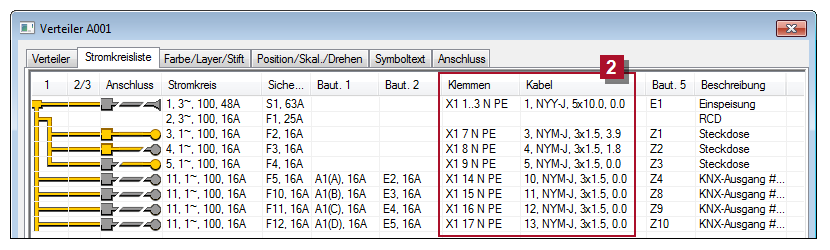
An indicator  shows the connection status of a circuit to terminals in the building model. You can see at a glance whether a cable was installed in the model and whether a continuous connection between distributor and end component exists.
Individual components of complex objects selectable
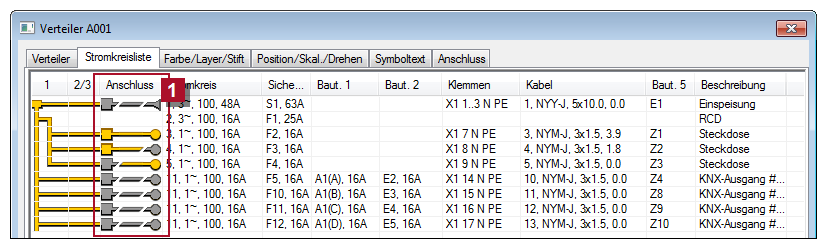
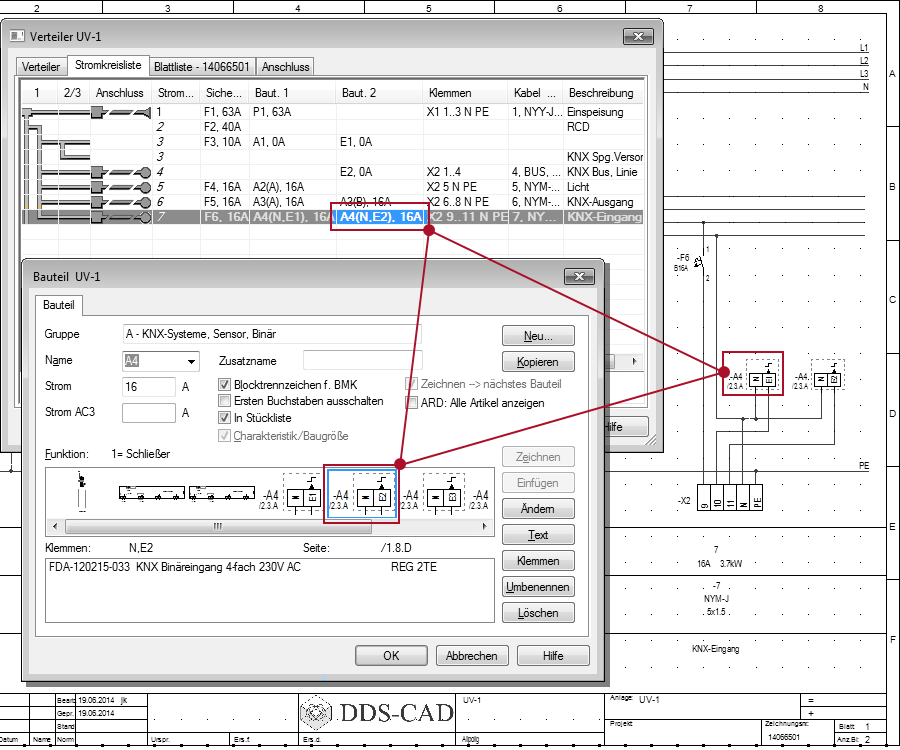
Until version 9, the circuit list could only select and manage the standard components (such as relays, KNX devices, etc.). In version 10, you can access each relay contact or each channel of a KNX component individually and paste it as a separate component in each circuit. The circuit list shows in addition to the component name als the name of the sub components.
This new options multiplies the flexibility in the customization of circuit and reduces the time spent on manual changes.
Additional terminal information, single step multi-edit for cables
The subsequent processing of cables  has been further simplified. You can now change the settings for cable type, dimension, number of wires and terminal numbering for multiple cables in a single step.