| ◄► |
|

|
|||
|
|||||
The dialog configures an object for changing dimensions. A transition can perform the following functions:
- Reduction
- Enlargement
- Change between rectangular/ round and vice versa
Settings, functions and parameters
Direction
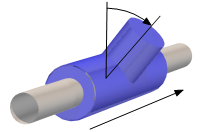
 Rotation
Rotation of the object in degrees (°) around the central axis of the ventilation duct. A change in the value in the positive direction causes a rotation to the right (in the drawing direction of the ventilation duct).
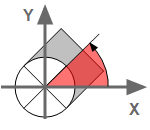
Angle to X-axis
The setting only applies to objects in vertical duct segments. The rotation of the component is defined as angle. At an angle=0, the object is rotated to the right and corresponds to the position of the X-axis. A positive rotation causes the component to rotate counter clockwise.
Properties
 b x a
b x a
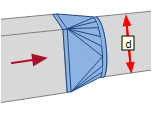
Entry dimension.
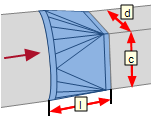
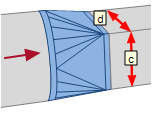
 c
c
| Setting | Effect |
|---|---|
|
|
At the exit you can continue with a rectangular duct.
|

|
At the exit you can continue with a round duct.
|
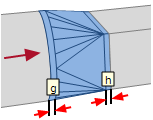
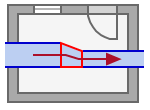
Horizontal alignment
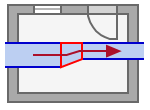
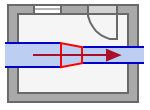
e  Left / Center / Right
| Setting | e
|
||
|---|---|---|---|
|
Left |
|
0 |

|
| >0 |

|
||
|
Center |
|
||
|
Right |
|
0 |

|
| >0 |

|
||
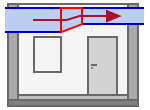
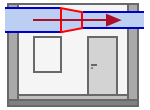
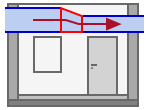
Vertical alignment
f Up / Center / Down
| Setting | f
|
||
|---|---|---|---|
|
Up |
|
0 |
|
| >0 |
|
||
|
Center |
|
||
|
Down |
|
0 |
|
| >0 |
|
||
Product
Number
DDScad differentiates the parts list based on the number (= product number). It is set when the item is selected, but can be entered manually if known.
In parts list
| Setting | Effect |
|---|---|
|
|
The object is included in the parts list. |
|
|
The object is not included in the parts list. |
 ...
...
Opens the product database and allows the selection of a product.