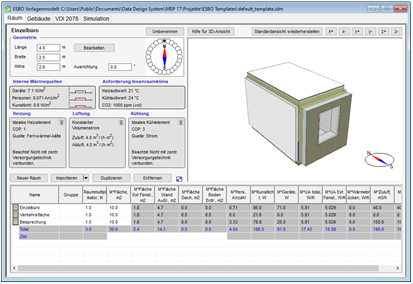
Open template file for editing
The template file default_template.idm with the room types is created automatically the first time ESBO is started in a project:
- Einzelbüro
- Verkehrsfläche
- Besprechung
Recommendation
Use the file default_template.idm as the starting point for one or more of your own template files. You can always further develop your own template files and use them in further projects.
-
Close the dialog DDScad MEP --> ESBO.
(After the start ESBO always expects selection of the rooms to be calculated. However, other steps are necessary to edit the template file.)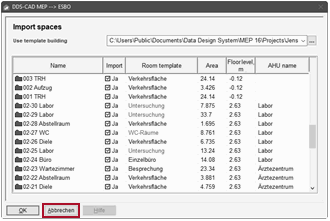
- Select: File
 Open….
A dialog for selecting a file appears. -
When you create your first template file:
Navigate to the folder of the current DDScad project and open the file default_template.idm.
If you want to enhance one of your own template files:
Navigate to the storage location and open the desired file (*.idm).
The dialog appears:ESBO template model