Construction with different units of measurement
The input of a measurement is required in many different situations, e.g. for instance during the insertion of a symbol with a defined distance from a reference point or in the construction of floor plans, help geometry, etc.
Until version 7.3 in all cases the "meter" was used as the division unit and the numerical value of each measurement input was interpreted in meters. In version 8 you can define the measurement unit. When you only enter a numerical value in the input field for a measurement (without a unit), it is automatically interpreted as an input in meters. If you enter a measurement unit in addition, the value is automatically converted to this length unit.
|
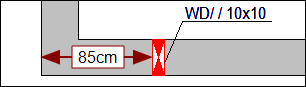
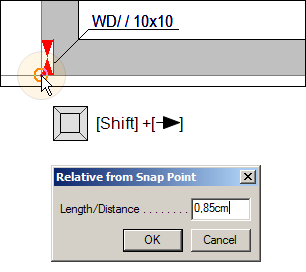
ExampleA wall opening must be inserted at a distance of 85 cm from a reference point in the building model.
|
||||||||||||
|

 ]. The dialog "From cursor position" appears. It is used to insert the distance between reference point and the insertion point of the symbol.