Electrical - KNX

Interaction between DDS-CAD and ETS
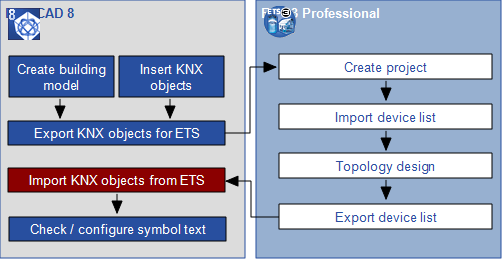
Until version 7.3, no interaction was possible between DDS-CAD and ETS. DDS-CAD 8 and ETS 3 can now exchange their data with each other, resulting in the outcome of an integrated planning process. Note to ETS 4...

For more information regarding the exchange process, click left mouse button on the respective step in the image.

Attention! 
For the exchange of data you need additional ETS macros (tools that are not included in a default installation for ETS. For more information, visit the website of the developer).


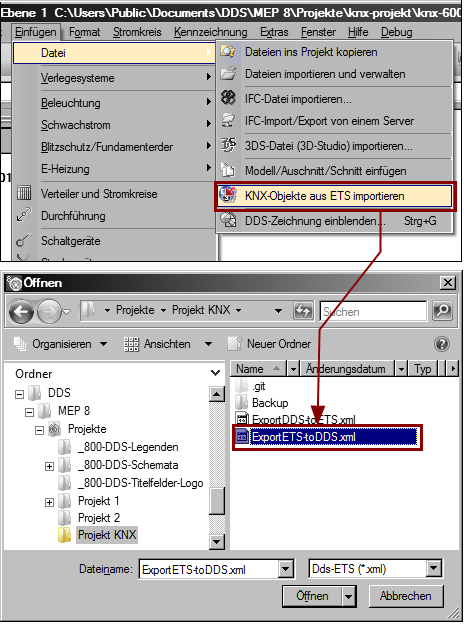
In DDS-CAD you load the previously generated transfer file.

  • Select in menu Insert FileImport KNX-Devices. The dialog "Open" appears.
  • Select the file that you created previously for the export to ETS. This opens the administration dialog and displays the topology of the system and the location of the components in the building.


  • Click Close. The data is transferred to the KNX objects inside the DDS-CAD model.